Why do big applications such as MS Word and Gmail get new errors in heavily used parts that used to work?
Two have been annoying me lately.
Gmail’s disappearing send button
One is relatively minor, but Gmail seems to have forgotten how to work out the screen size so that when you create a new email the ‘send’ button is nearly invisible at the bottom of the page: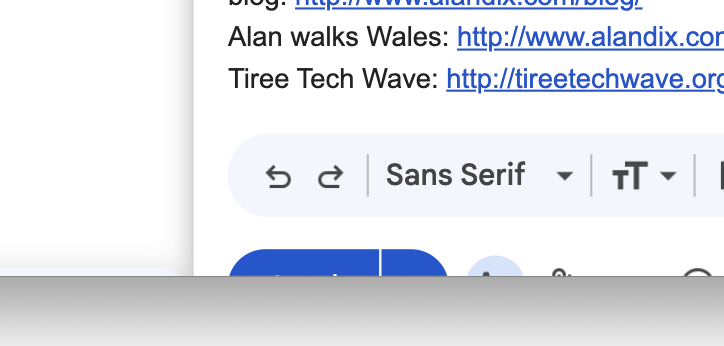
I know it is the send button, but the first time this happened, it was somewhat disconcerting – was I absolutely sure? In fact the full button is there and if the email underneath is not too long and you scroll to the end, the button appears:
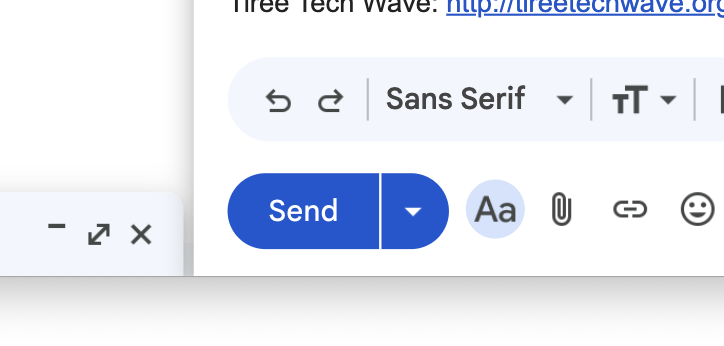
… although then the menu at the top of the Gmail window half disappears!

There are similar left-to-right problems. During one of its updates Gmail seems to have lost track of the exact window size, by a factor of about 20 pixels or so … but it used to be fine before.
And yes, I have reported this and the same problem happened with the send button at the bottom of the problem report form!
Word’s phantom changes
The second problem is with Microsoft Word and is far more difficult. I commonly open an old document and select some text to copy into a new one I’m working on. When I go to close the old document I get a file save dialogue: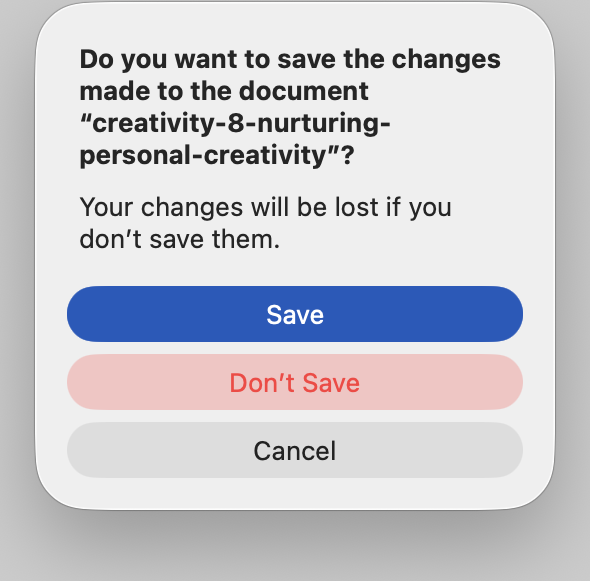
I have changed nothing in the document … but then I have moments of doubt, especially if I’ve left it open for a while.
Perhaps I noticed a typo in the old document and forgot that I did it? Perhaps I accidentally typed new text here that was intended for the new document? I obviously don’t want to lose anything that was intentional, even if in the wrong place. So would the safe thing be to save anyway?
But on the other hand perhaps I accidentally typed something into the old document, maybe even deleted a whole section without realising? I don’t want to lose anything important in the old document, nor even confusingly change it’s update time unnecessarily?
Here I’ve found no way to check whether this is a real change to the document or simply some sort of ghost changes to things Word keeps track of but are not really part of the document text that I see.
Poor coding, poor engineering or just AI?
In both cases the fault is repeatable, persistent and in some of the most commonly used parts of the systems.
The errors seem naive if accidental, or in each case if there was deliberate change to the algorithms for screen size or the document change flag, then it would have only taken a single use test by the developer to find and fix the problems. Is this poor coding or the result of replacing developers with AI?
Once the error has happened, how does this get through regression testing? I’d have thought that automated testing should pick up this sort of change. Is there not any sort of periodic human sanity checking testing, or has this also been replaced with AI?
I’m sure my friend Nad, who is a master of architectural design and agile software processes engineering would have something to say about this!
Poor coding, poor engineering or just AI?
Although both are relatively minor inconveniences in the grand scheme of things, especially in a world where so many live in fear for their lives. Yet the effects are still major. These big products are used by billions. Each minor friction and inconvenience adds up to a huge global cost in terms of added stress and lost productivity.
Of course, I am not going to stop using Gmail or Word because of this. Perversely, because these are standard products used by so many, users are unlikely change, so there is little incentive for the tech companies to avoid these huge costs to society at large … issues not unrelated to my current Abomination of AI blog seres!